CSV Normalization
You Can Actually Trust
The only data normalizer that shows you exactly why each value changed. Upload, transform, audit, download — with complete transparency.
How Loki works
Four simple steps to transform the files you received from your partners into a standard and clean CSV you can use in your own systems.
Upload
Drop your CSV or Excel file. We support files of any size.
Define
Choose a pre-built data model or describe your output in plain English.
Transform
Loki analyzes your data, asks clarifying questions if needed, and converts it.
Audit
Review every change with full explanations. See exactly why each cell value changed.
Why Teams Choose Loki
Built for data teams who need reliability, speed, and complete transparency.
Full Auditability
See exactly why each cell value changed. Every transformation comes with a clear explanation — no black boxes.
Lightning Fast
Process millions of rows in seconds. Loki doesn't rely on LLMs to rewrite your entire document.
AI-Powered
Describe your desired output in plain English. Loki understands context and handles edge cases intelligently.
Excel & CSV
Works seamlessly with your existing files. Upload CSV, XLSX, or XLS — get clean, normalized output.
Smart Questions
When data is ambiguous, Loki asks clarifying questions before transforming. No guesswork, no surprises.
Data Models
Save and reuse transformation templates. Build a library of data models for consistent, repeatable results.
See Loki in Action
Powerful features wrapped in a clean, intuitive interface.
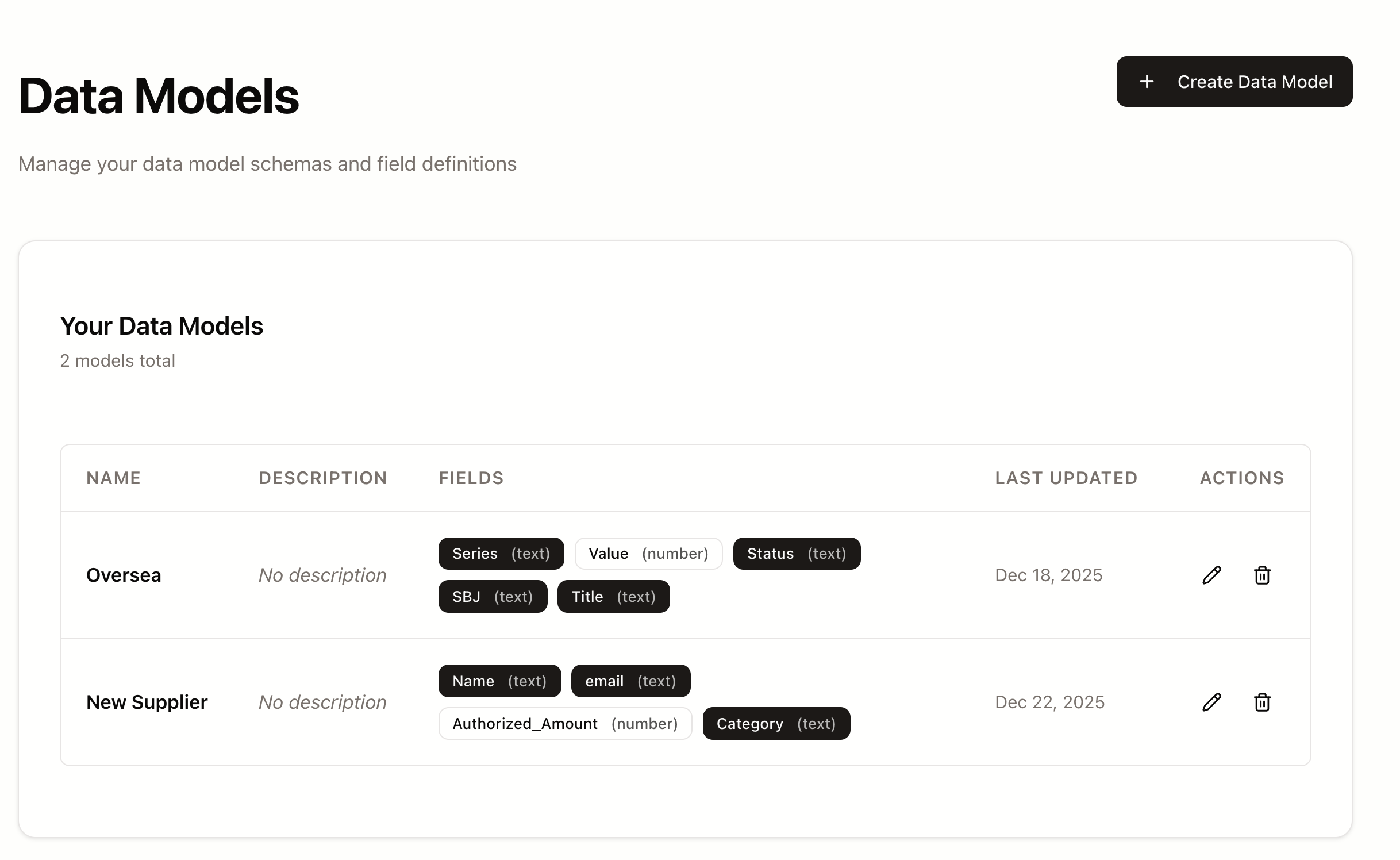
Data Model Definition
Define your output data model and save it for reuse.
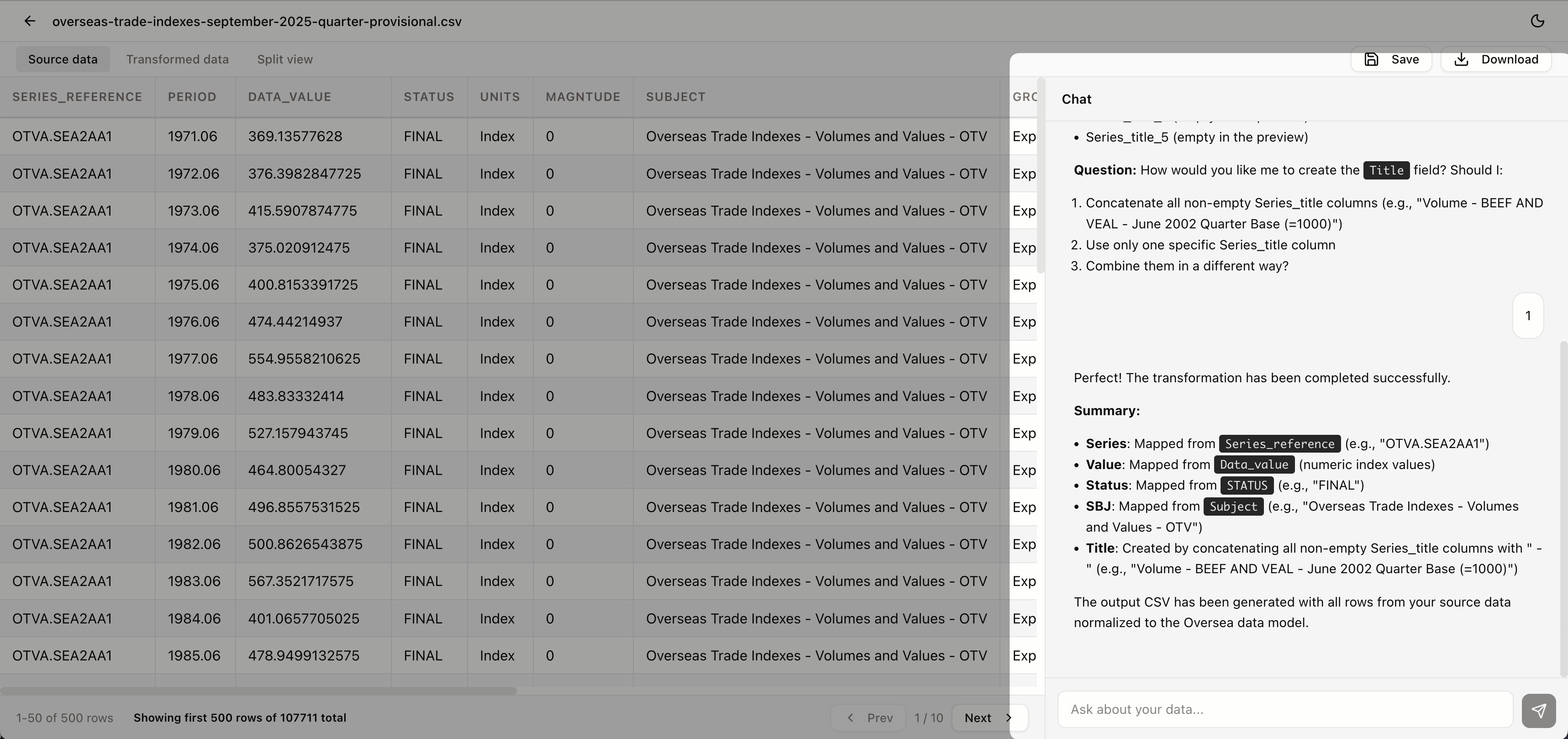
AI Assistant Conversation
Describe complex transformations in plain English. Loki understands and executes.
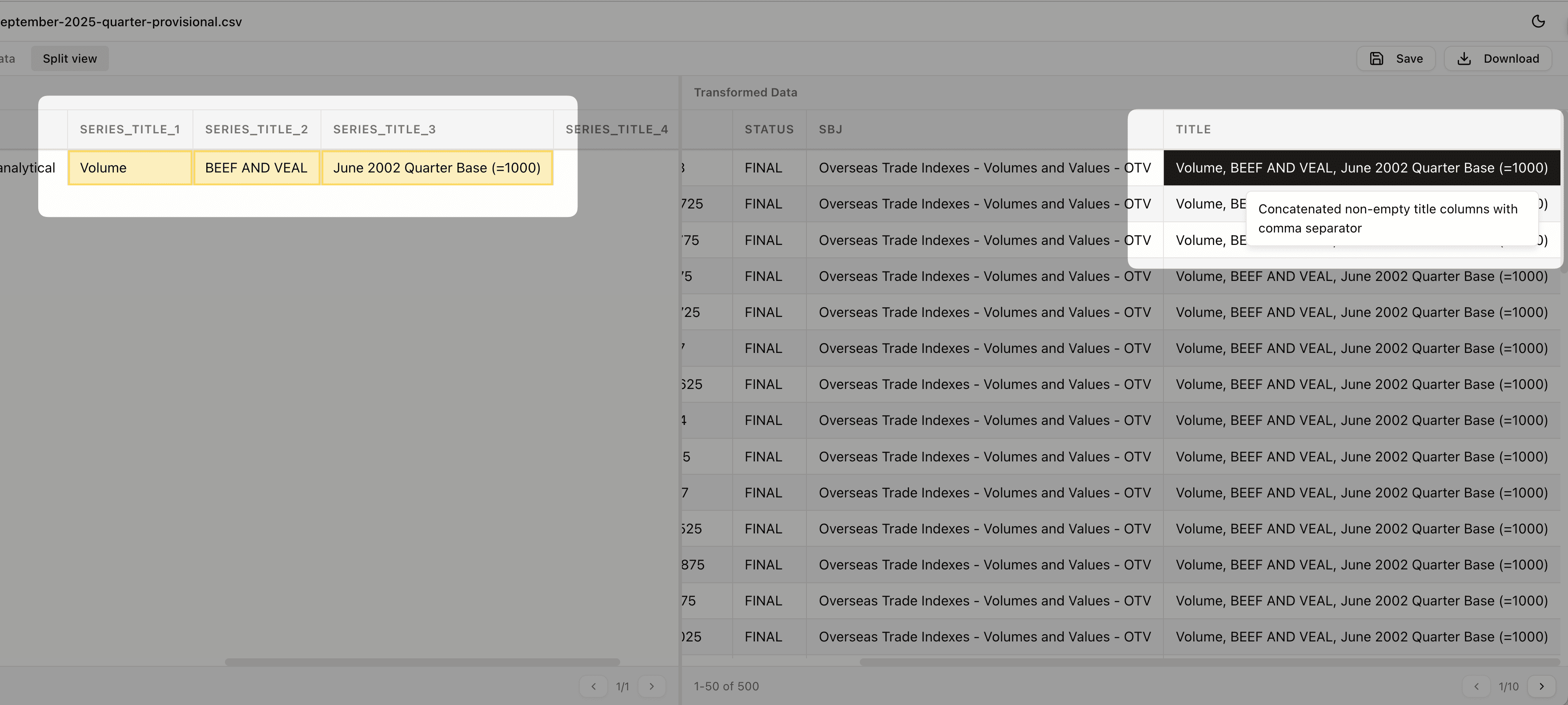
Audit Trail View
Every cell change explained. Click any value to see exactly why it was transformed.
Frequently Asked Questions
Everything you need to know about Loki. Can't find the answer you're looking for? Reach out to our team.
Loki supports CSV, XLSX, and XLS file formats. You can upload files of any size — our processing engine handles millions of rows efficiently without memory issues.
Every transformation Loki makes is logged with a clear explanation. Click on any cell in your output to see exactly why that value was changed, what rule was applied, and what the original value was. This makes compliance and quality assurance straightforward.
Absolutely. Your data is encrypted in transit and at rest. We're SOC2 compliant and GDPR ready. Files are processed in isolated environments and automatically deleted after processing unless you explicitly save them.
Yes! You can save any transformation as a reusable data model. This is perfect for recurring tasks — upload a new file, apply your saved model, and get consistent results every time.
Loki processes data at native speed because we don't rely on LLMs to rewrite your entire document. Most files complete in seconds, and even files with millions of rows typically finish in under a minute.
Not at all. Loki is designed for anyone who works with data. You can describe transformations in plain English, or use our visual column mapping interface. No coding required.
The audit trail makes it easy to identify and correct any issues. You can also iterate with the AI assistant — just tell it what's wrong and it will adjust the transformation rules accordingly.
Yes! You can start using Loki for free with generous limits. Upgrade when you need more processing capacity, advanced features, or team collaboration tools.
Still have questions?
Talk to UsReady to Transform Your Data Workflow?
Join thousands of teams who trust Loki for their data normalization. Start for free, no credit card required.
No credit card required • Free forever plan available